|
1
|
- Archiving Courseware Websites to DSpace
- Using a Content Packaging Profile
- & Web Services
|
|
2
|
- Vision: Increase value in
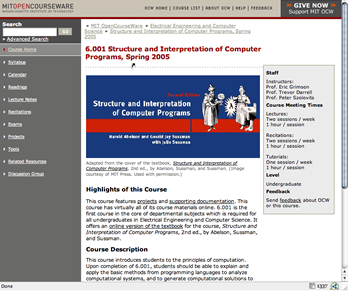
Institute publication: OCW
- Also: Increase value in Open Source platform: DSpace
|
|
3
|
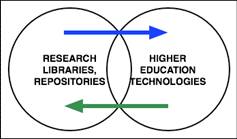
- Obvious observation: Higher Ed. Technologies increasingly seeking
integration with Library & Repository holdings
- Not so obvious(?): Libraries
seeing their charter to include collection, preservation, dissemination
of Teaching & Learning materials (?)
|
|
4
|
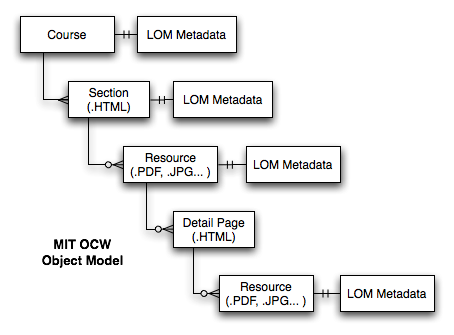
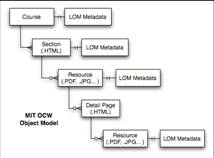
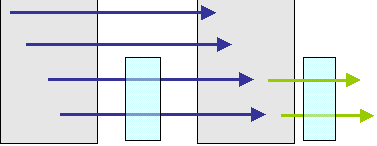
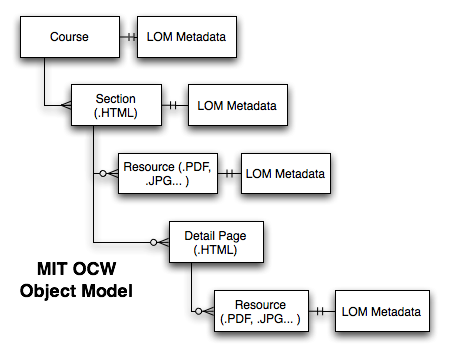
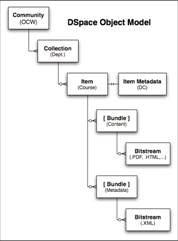
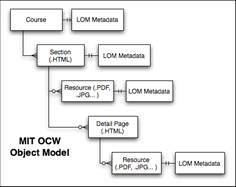
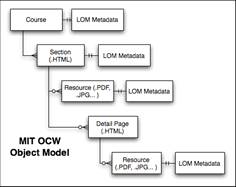
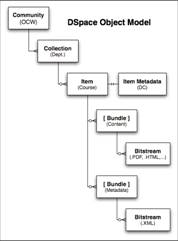
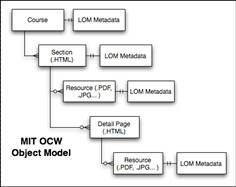
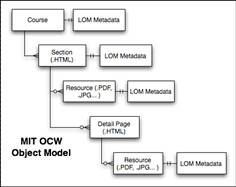
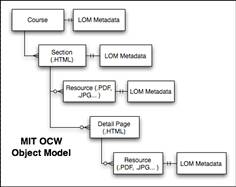
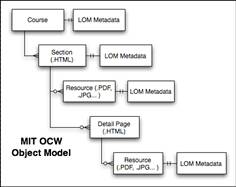
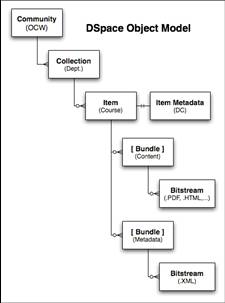
- Normalized data model (out of chaos)
- "Sections" fit well to publication organization
- Normalized content files (.PDF)
- Reduced ability to disaggregate, re-purpose
|
|
5
|
|
|
6
|
|
|
7
|
|
|
8
|
|
|
9
|
|
|
10
|
|
|
11
|
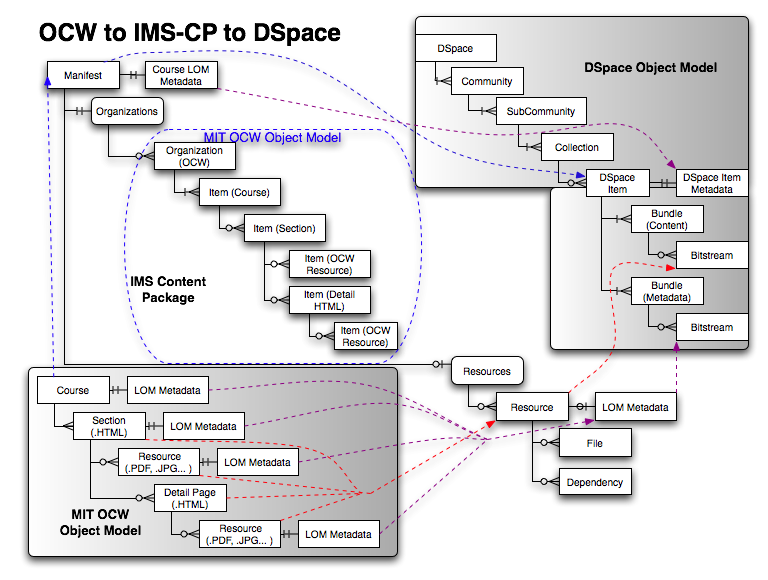
- Model OCW Content
- Choose Packaging Specification
- Profile That Specification
|
|
12
|
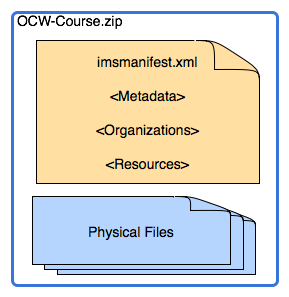
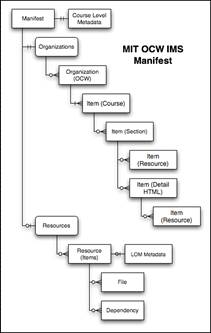
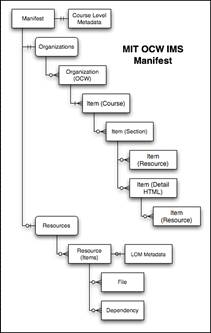
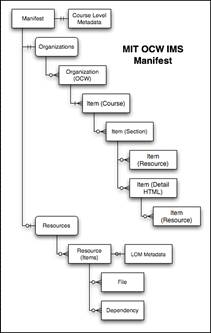
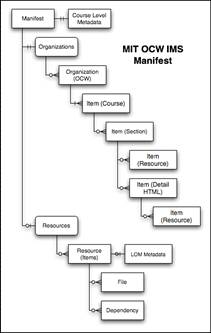
- Package Interchange File (PIF)
- Usually a .zip file
- Contains a manifest
- Manifest references files (some in, some out of the package)
|
|
13
|
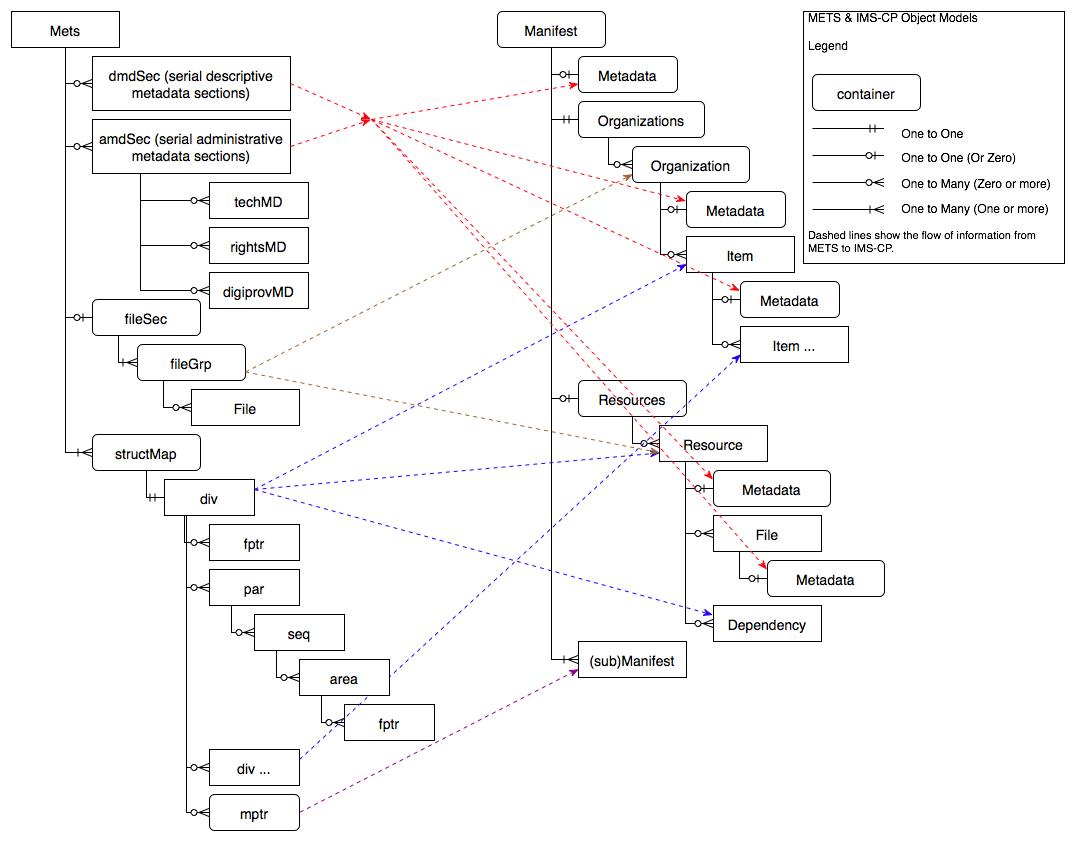
- Mapping one world to another
|
|
14
|
- Mapping one world to another
- Content Package design considerations
|
|
15
|
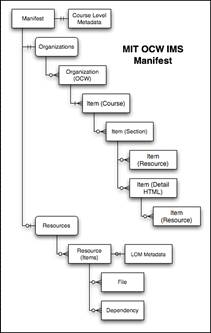
- Mapping one world to another
- Content Package design considerations
- Use, re-use, subsequent dissemination
|
|
16
|
|
|
17
|
|
|
18
|
|
|
19
|
|
|
20
|
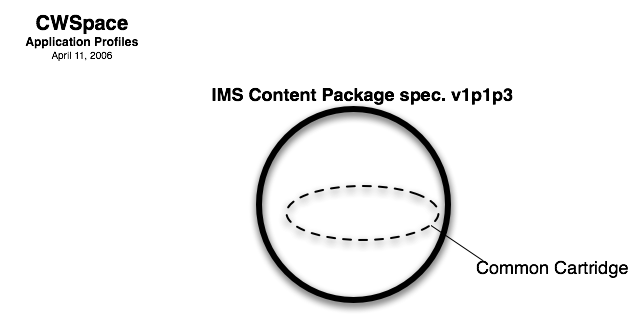
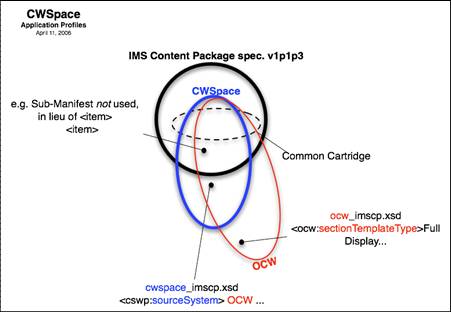
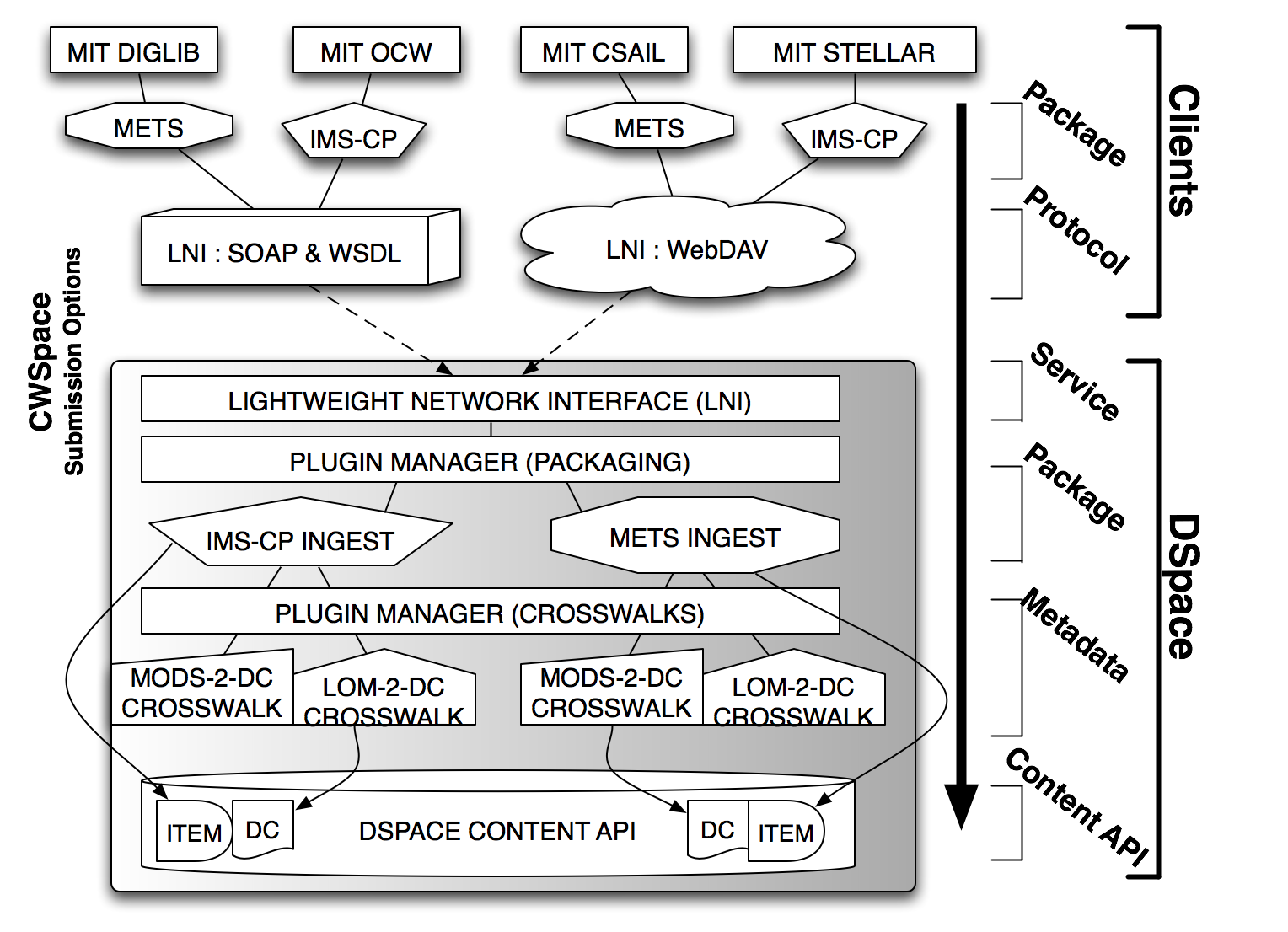
- Content packaging specifications are
generic loose envelopes to carry content, metadata
- Choice of package is largely determined by user community
- DSpace to use METS internally
- Higher Education uses IMS Content Packaging
|
|
21
|
|
|
22
|
|
|
23
|
|
|
24
|
|
|
25
|
|
|
26
|
|
|
27
|
|
|
28
|
|
|
29
|
|
|
30
|
|
|
31
|
|
|
32
|
|
|
33
|
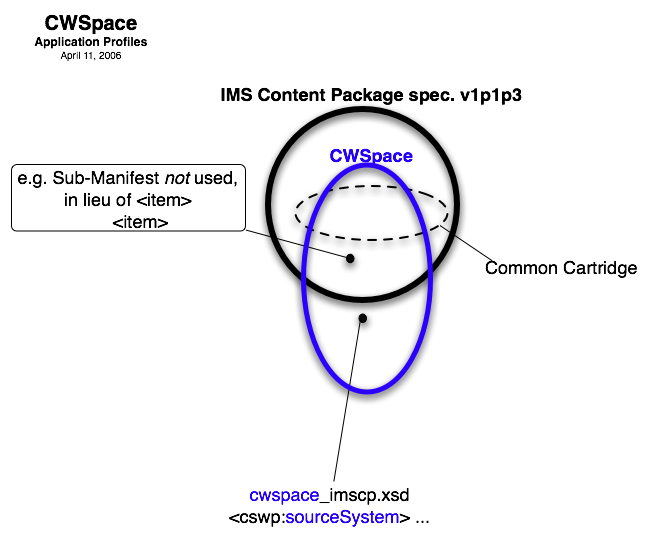
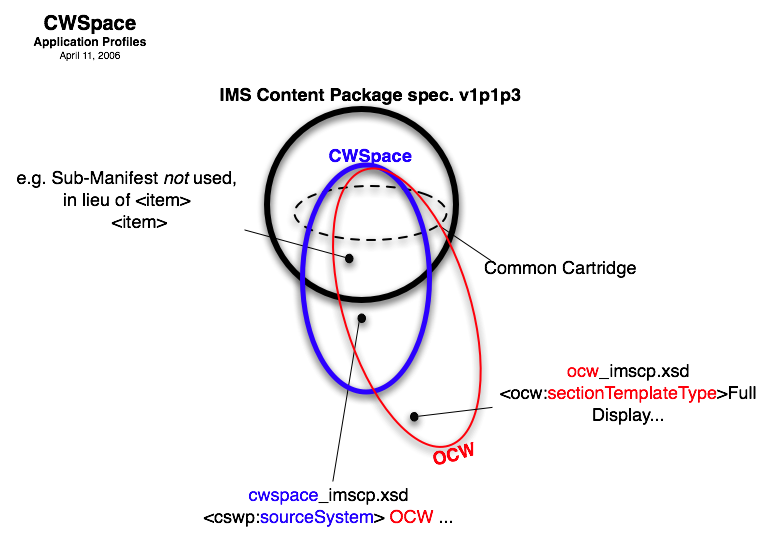
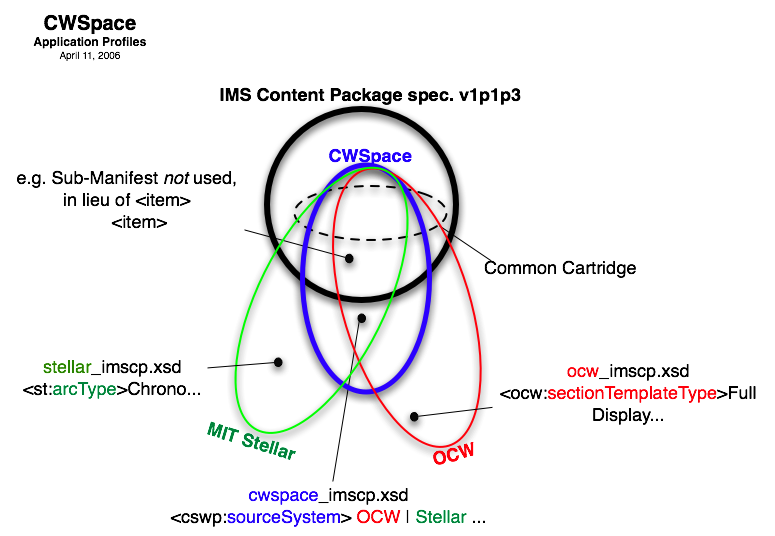
- Every Implementation of IMS-CP or METS will:
- Constrain the Standard
- Extend the Standard
- Interpret the Standard
- The sum of these adjustments is the implementation profile
- The Standards themselves encourage profiling in a systematic way:
- IMS Application Profile Guidelines Technical Manual
- http://imsglobal.org/ap/apv1p0/imsap_techv1p0.html
- METS Profile Schema and Guidelines
- http://www.loc.gov/standards/mets/mets-profiles.html
|
|
34
|
|
|
35
|
|
|
36
|
|
|
37
|
|
|
38
|
|
|
39
|
- Now with Package defined…
- …need to move that across the network from producer to consumer…
|
|
40
|
|
|
41
|
|
|
42
|
|
|
43
|
- 0. What Was The Problem?
- What Is the LNI?
- DSpace & WebDAV
- Example of Use: Submit OCW
- Future Development…
|
|
44
|
- Content Providers wanted…
- Networked Access:
Programmatically access the DSpace object model, but not running
on the DSpace server
|
|
45
|
- The "Lightweight Network Interface" is:
- A remote API to control DSpace
- It's essentially WebDAV: Extensions to HTTP
- A SOAP (with WSDL) equivalent is provided
- It's a mapping: —
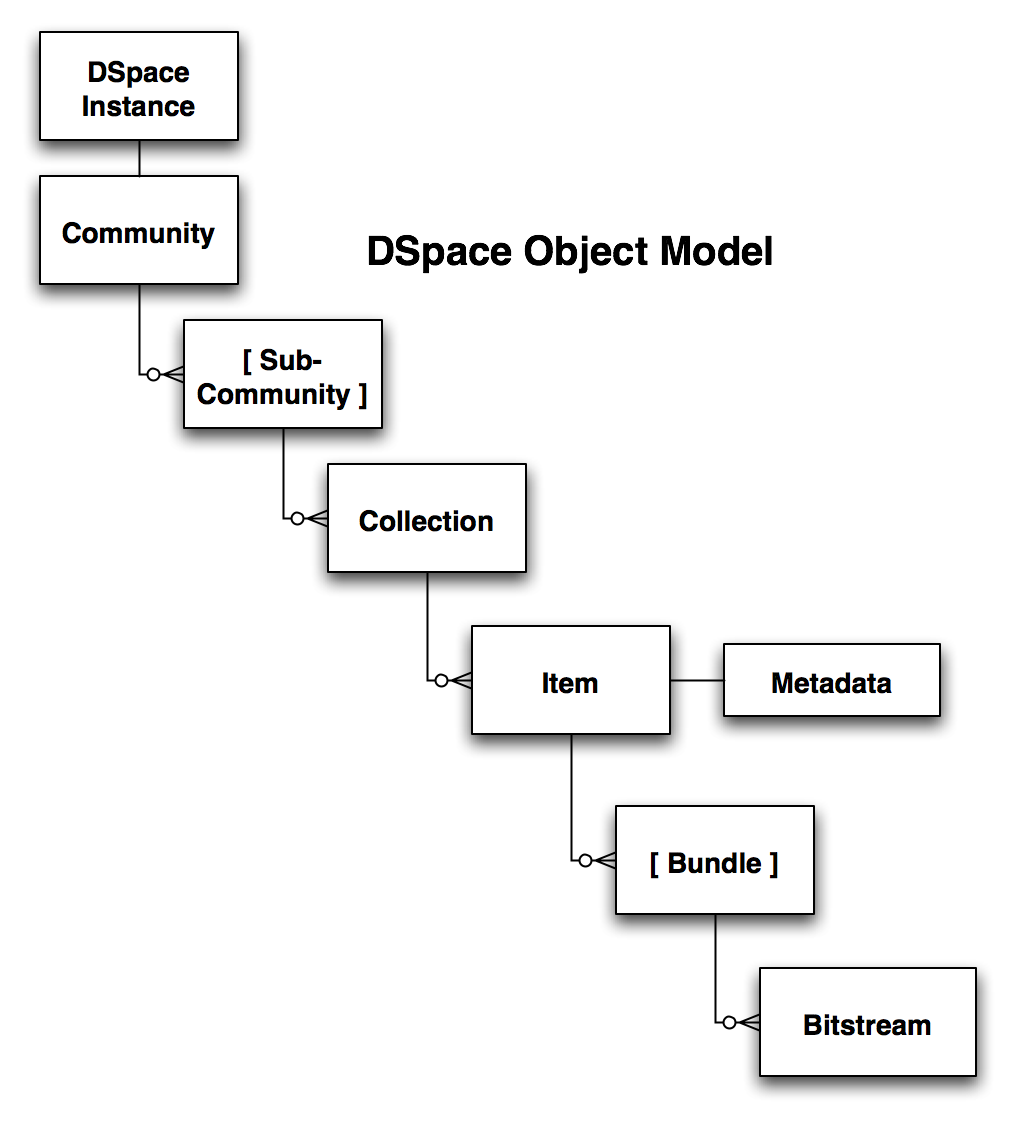
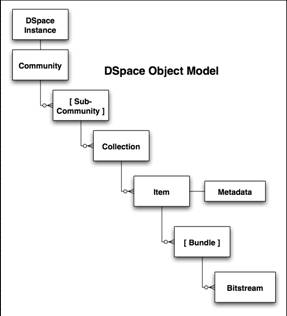
- a "complete and comprehensive" view of the DSpace public
object API…
- (the "business logic" layer)
- …as mapped to WebDAV semantics
|
|
46
|
- DSpace digital repository
- Differs from file system
- Submit URI not known
- Workflow (optional)
|
|
47
|
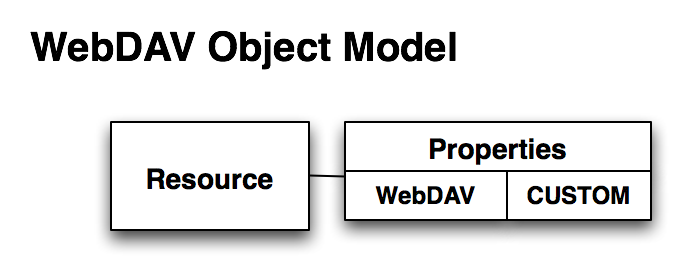
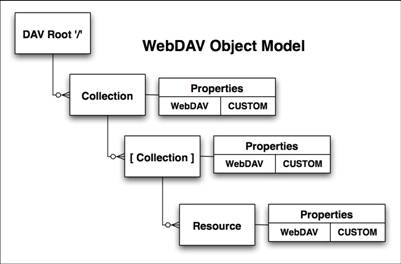
- Each Resource named by a URL
- Properties are "name value" pairs
- Properties are extensible
- Property values can be found, and modified
|
|
48
|
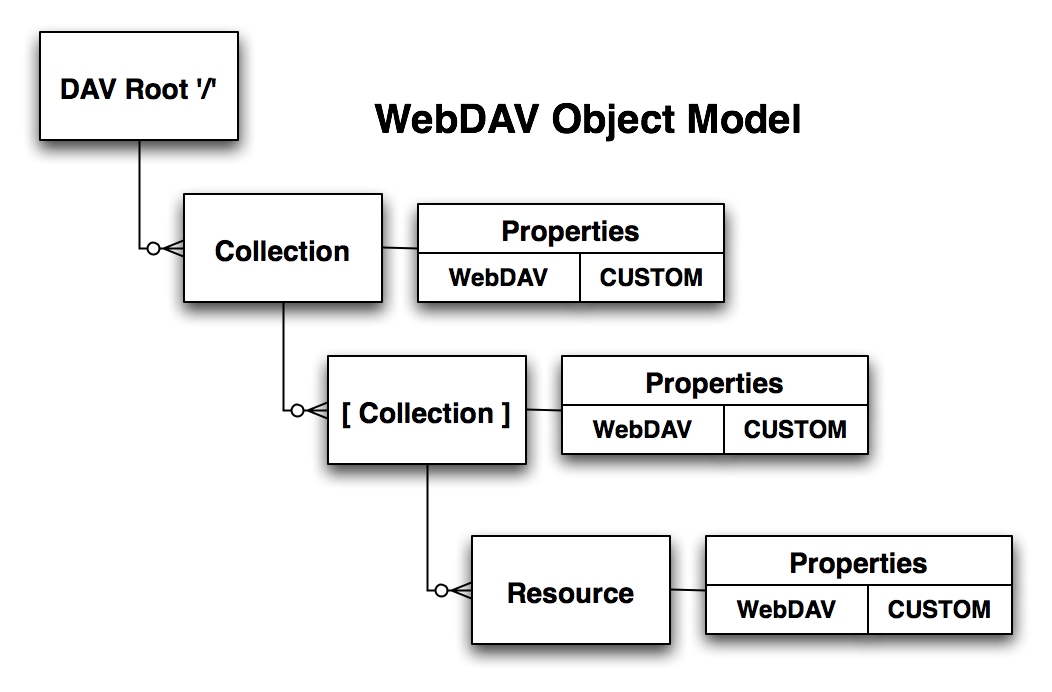
- Resources can be Collections or leaf nodes
- Collections can nest
- Everything can be discovered descending from the DAV server's root '/'
resource
|
|
49
|
|
|
50
|
- Properties
- DSpace LNI URLs
- WebDAV Methods
|
|
51
|
- DAV:creationdate
- DAV:displayname
- DAV:getcontentlength
- DAV:getcontenttype
- DAV:getlastmodified
- DAV:resourcetype
- …
|
|
52
|
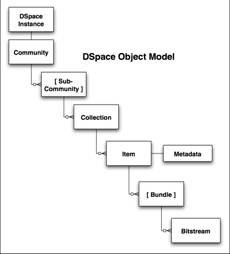
- ALL DSpace Objects:
- dspace:type
- "BITSTREAM", "ITEM", "COMMUNITY" etc.
- DAV:resourcetype
- dspace:displayname
- dspace:current-user-privilege-set
|
|
53
|
- Community DSpace Objects
- dspace:logo
- dspace:short_description
- dspace:side_bar_text
- dspace:handle
- …
|
|
54
|
- Bitstream DSpace Objects
- DAV:getcontentlength = getSize()
- dspace:format = getFormat().getID()
- dspace:sequence_id = getSequenceID()
- …
- Many more DSpace Objects (some 10)
- With many more Properties (some 87)
|
|
55
|
- Community
- http://uni.edu/dspace/dav/dso_1721.1$46
- Collection
- http://uni.edu/dspace/dav/dso_1721.1$349
- Item
- http://uni.edu/dspace/dav/dso_1721.1$5543
- Bitstream
- http://uni.edu/dspace/dav/dso_1721.1$5543/bitstream_13
|
|
56
|
- PROPFIND - very powerful request with multiple functions:
- list names of properties
- return property values
- recurse through 1 or more levels of a "collection" resource.
- PROPPATCH - changes value of or deletes properties on one resource.
- GET - retrieves contents of a resource
- PUT - replace or add a new resource to a collection
- COPY - map a resource ("Item") to a different Collection.
|
|
57
|
- Content Provider, currently
- Batch import (& export)
- End user Web U/I
- dspace-admin Web U/I
- SRW, OAI-PMH
|
|
58
|
- Content Provider using LNI:
- LNI SOAP end-point URL
- LNI WebDAV URLs
- dspace-admin (partial)
- SRW, OAI-PMH
- Still available:
- Batch import (& export)
- End user Web U/I
|
|
59
|
- OpenCourseWare Client
- Needs 3 Values:
- LNI SOAP end-point URL
http://userid:password@dspace.mit.edu/dspace-lni/lni/DSpaceLNI
- Handle for OCW Community = hdl:1721.1/125
- Dept. Name (MIT "Course" Number) for Course to be submitted
= "Physics (8)"
|
|
60
|
- Request: OCW Comm. HANDLE
- LNI lookup() = http://dspace.mit.edu/dspace-lni/dav/lookup/handle/1721.1/125
- Response: OCW Comm. LNI URL http://dspace.mit.edu/dav/dso_1721.1$125
|
|
61
|
- Request: PROPFIND on LNI URL for children DSpace Collections'
"displaynames":
- <propfind>
- <prop>
- <DAV:displayname/>
- </prop>
- </propfind>
- Response: MULTISTATUS
- <multiStatus>
- <resource>
- <href
URI="dso_1721.1$197"/>
- <displayname>Biology
(7)</displayname>
- </resource>
- <resource>
- <href URI="dso_1721.1$253"/>
- <displayname>Physics
(8)</displayname>
- </resource>...
|
|
62
|
- Request: PUT to DSpace Collection LNI URL, including specification of
Packager Type (IMS-CP):
- PUT /dspace/dav/dso_1721.1$253?package=OCW-IMSCP
- ....package contents
in body...
- Response: LNI URL for DSpace Item in "Location" Header:
- HTTP/1.1 201 OK
- Location: http://dspace.mit.edu/dspace/dav/dso_1721.1$836
- ....other headers....
|
|
63
|
- Request: PROPFIND on DSpace Item LNI URL for the DSpace Handle:
- <propfind>
- <prop>
- <dspace:handle/>
- </prop>
- </propfind>
- Response: Properties Requested
- === PROPERTIES Successfully returned:
- dspace:handle = "hdl:1721.1/836"
|
|
64
|
- In this 4-step OpenCourseWare submission example, we've seen:
- SOAP endpoint URL
- DSpace Handles
- DSpace LNI URLs
- LNI Lookup() function
- WebDAV Properties
- WebDAV Methods
- PROPFIND (LNI request)
- MULTISTATUS (LNI response)
- LNI "Reverse Lookup"
- WebDAV Headers (Location; Success/Fail)
|
|
65
|
- Other DSpace objects
- Bitstream Format Registry
- Metadata Registry …
- Other WebDAV methods
- PUT (for Replacement)
- DELETE
- MKCOL …
|
|
66
|
- Archiving Courseware Websites to DSpace
|

 Notes
Notes