|
1
|
- Ellen Meltzer
- DLF Spring Forum 2006
|
|
2
|
|
|
3
|
- Not for our primary clientele
- UC’s Public Service Mission
- Desire to make materials truly
usable
- User studies drove us
|
|
4
|
- K-12 teachers = primary audience
- Audience decision shaped all subsequent planning
- Development focus
- Look and feel
- Tools
- Publicity, marketing
|
|
5
|
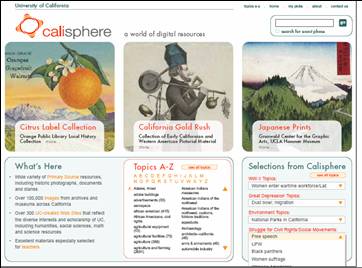
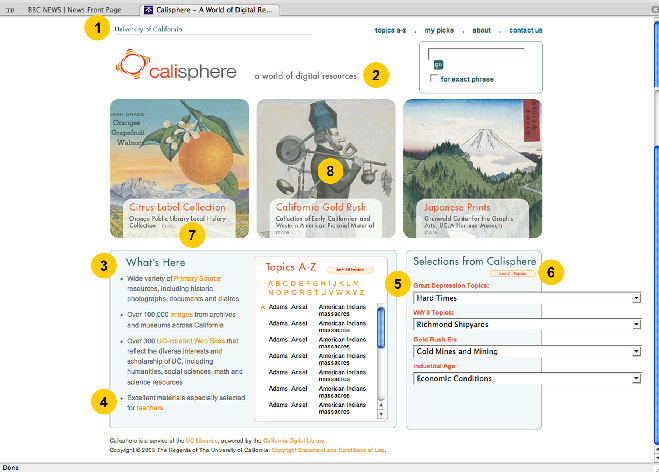
- Digital primary source materials from the 10 UC campuses and partner
institutions
- Important core components of the site include:
- Online Archive of California (OAC)
- Japanese American Relocation Digital Archives (JARDA)
- California Cultures (collections on California's Native, Hispanic,
Asian and African Americans)
- More than 150,000 images +++
|
|
6
|
- Interviews
- Personas
- Focus group discussions
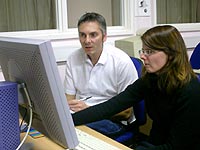
- Usability testing
|
|
7
|
- Consultant – Documenting the American West interviews (July 1, 2004)
- UC Berkeley partners - High School Social Studies Teachers: The Use of
Digital Objects in Teaching Practices (January 31, 2005)
|
|
8
|
- Personas – in-house
- Calisphere Advisory Board Findings (June 10, 2005) – CDL assessment team
- Calisphere UI Testing Findings and Recommendations, Chico High School
(October 25, 2005) – CDL assessment team
|
|
9
|
- Less is more—provide few, carefully selected images
- Make it easy to find & use images
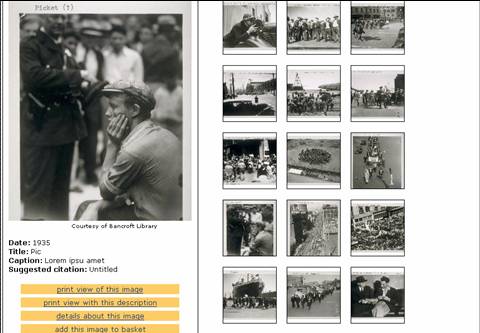
- Provide context for the images
- Primary source materials are of high value
- Tie content to California State Board of Education Content Standards
|
|
10
|
- Credibility of source is important
- Teachers value .edu domains and teach their students to look for these
- Easy printing in multiple formats is critical
|
|
11
|
|
|
12
|
- Browse is a great way to get to know a site
- Teachers prefer a broad category list of no more than 15 items over an
A-Z list on the homepage
- But link to A-Z list would be helpful
|
|
13
|
- Poor technology in California public schools – aging technology
installed in 90’s
- Limited current funds for upgrading
- Firewalls and filters often preclude common searches
- Projectors generally unavailable
|
|
14
|
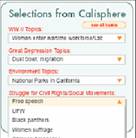
- Created six themed collections
|
|
15
|
|
|
16
|
|
|
17
|
|
|
18
|
|
|
19
|
- Know who you’re designing the site for (user-centered design)
- Remember: It’s for them, not us!
- Assess & test early and often
- Ask users how they currently do research
- Ask them about points of pain
|
|
20
|
- Listen to what users say
- Watch how they use the resource
- Advocate for users during development
- Bring technologists on board
- Incorporate what you learn into the site
|
|
21
|
- Ellen Meltzer
- ellen.meltzer@ucop.edu
- http://www.cdlib.org
|
|
22
|
|

 Notes
Notes